In a previous I went over how to set up headless tests on a centos machine; in this blog, I will be going over how to introduce this machine into a continuous integration environment via Jenkins. The first thing that we need to do is install the Xvfb plugin on the Jenkins instance, which is installed through “Manage Jenkins” –> “Mange Plugins”:
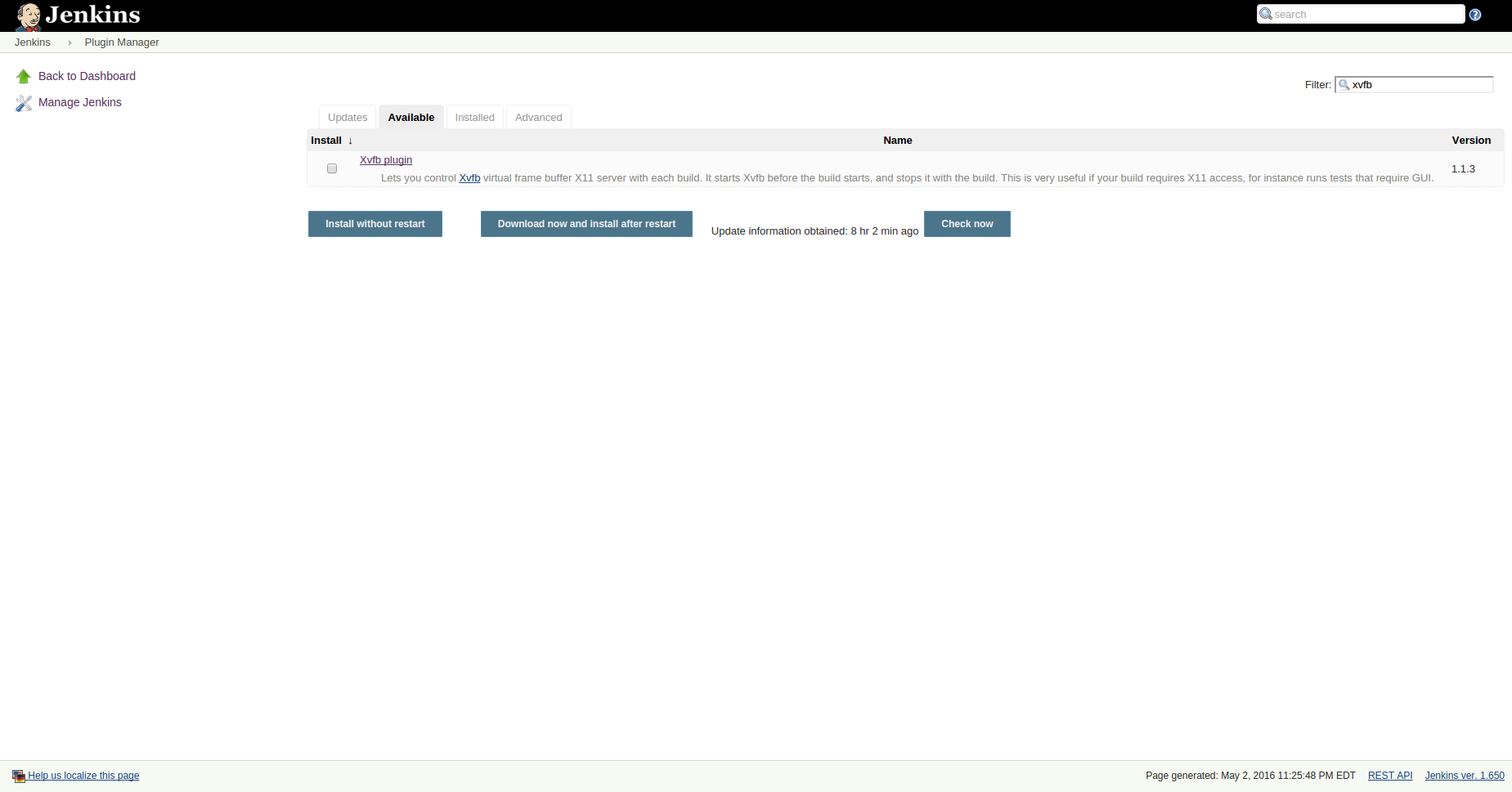
Now that the plugin is installed, we must tell Jenkins where our Xvfb installation is located. This is done through “Manage Jenkins” –> “Configure System” –> “Xvfb Installation”. On my centos machine, Xvfb is located at /usr/bin as seen below:

The next step in getting our headless tests to run is to go to the job(s) that will be running the headless tests to configure the plugin. For this first and simplest example, it will be assumed only one instance of this test job will be run on the slave that can run headless tests.
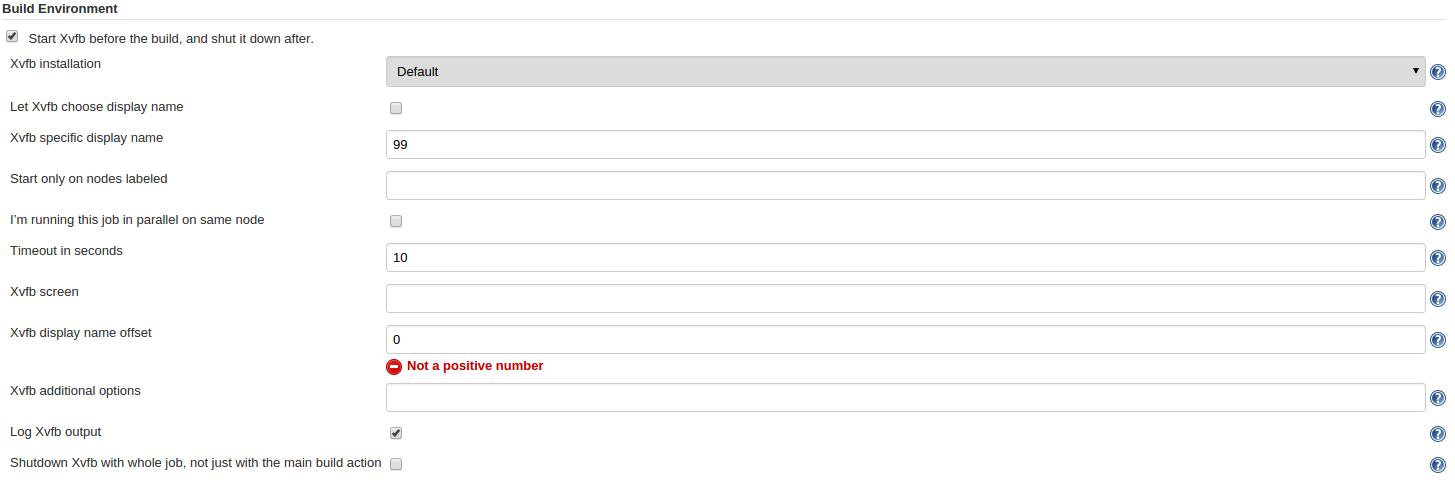
In the above picture, you will see the configuration block for the Xvfb plugin. The first thing we want is to check the box “Start Xvfb before the build, and shut it down after”. The next configuration option to pay attention to is which Xvfb installation you would like to use for this specific job. If you have set it up like above, it will be the “Default” installation. For the next option, the value “10” is inserted into the “Timeout in seconds” box. This option tells the job to give Xvfb 10 seconds to start up before the job continues. You may want to increase or decrease the timeout depending on how your slave that this job is running on performs. Next, it is important is to keep the “Xvfb display name offset” at 0. This option is used when you do not explicitly set the display name for Xvfb to run on.

Finally, before your tests run it is important to set your DISPLAY variable to the display that Xvfb is started on, so Firefox knows where to look; In this case, it is :99, as seen above.
